


Every Mile. Every Receipt. One App.
Mileage Tracking Is Coming to SparkReceipt
Stop juggling separate apps for mileage and expenses. SparkReceipt is adding automatic GPS mileage tracking — built right into the expense tracker you already use. Your miles, receipts, gas station charges, parking tickets, and toll receipts will all live in one place. One app. One report. Every deduction captured.





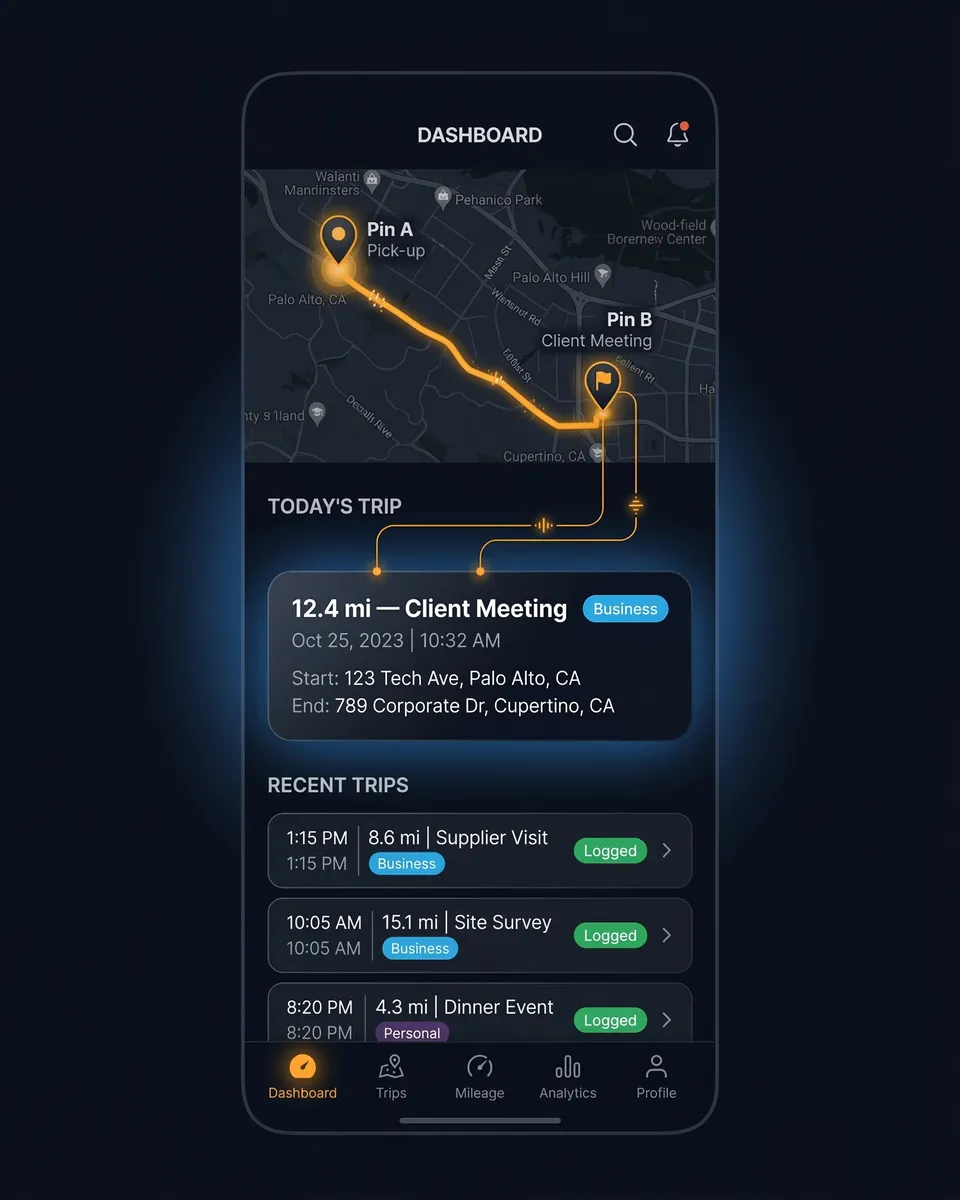
Mileage Tracking Before and After SparkReceipt
See what changes when your mileage tracker knows about your receipts

Separate Apps
- One app for mileage, another for receipts, a third for expense reports
- Gas station receipts, parking charges, and tolls tracked separately from miles
- Manual data entry to combine mileage logs with expense reports at tax time
- Missed deductions because vehicle expenses fall through the cracks
- Accountant receives incomplete data from multiple disconnected tools

SparkReceipt (Coming Soon)
- Mileage tracking built into your expense tracker — one app does it all
- Gas, parking, tolls, and maintenance receipts linked to your mileage log
- AI categorizes vehicle expenses automatically alongside your trip data
- Every vehicle deduction captured — miles plus all the receipts in between
- Accountant gets one clean report with mileage and expenses combined
Why Your Mileage Tracker Should Know About Your Receipts
Mileage is just the beginning of your vehicle deductions
Most mileage tracker apps do one thing well: they log your miles. But miles are only part of the picture.
Every business trip generates more than just mileage. There’s the gas station fill-up on the way to a client meeting. The parking garage downtown. The highway toll. The car wash before picking up a prospect. The oil change receipt you stuffed in the glove compartment.
If your mileage tracker doesn’t know about these expenses, you’re leaving money on the table. SparkReceipt’s mileage tracker is built into an AI-powered expense tracker — so every vehicle-related deduction lives in one place.

How SparkReceipt Mileage Tracking Will Work
Automatic GPS tracking combined with AI expense management
Automatic GPS Mileage Tracking
SparkReceipt will use your phone’s GPS to automatically detect and log business trips. Start driving and the app records your route, distance, and destination — no manual input needed.
Prefer manual control? You’ll also be able to start and stop trips manually, or enter mileage after the fact. Flexible tracking that fits your workflow, whether you drive 5 miles to a client meeting or 500 miles across the state.
Classify Trips With a Swipe
After each trip, classify it as business or personal with a single swipe. Set recurring routes as favorites so the app learns your patterns over time.
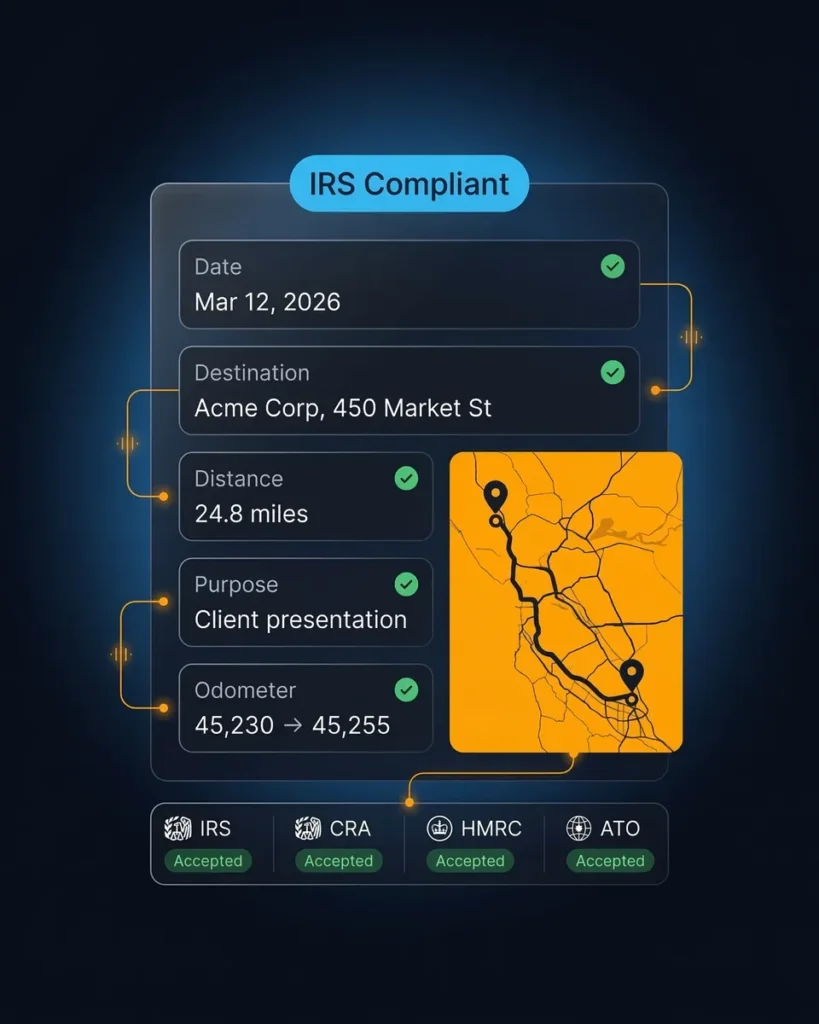
Every business trip will be logged with the date, starting point, destination, distance, and business purpose — the five elements the IRS requires for mileage deductions. No more scrambling to reconstruct trip logs at tax time.
One Report With Miles and Expenses
Generate a single expense report that includes your mileage log alongside your scanned receipts, categorized expenses, and tax totals. Everything your accountant needs in one document.
Export as PDF or CSV. Share with your accountant through free guest access. Or sync directly to QuickBooks Online. No more combining data from separate apps.
IRS-Compliant Mileage Logs, Automatically
Every trip documented the way the IRS requires
The IRS requires five elements for every deductible business trip: the date, destination, mileage, business purpose, and odometer readings at the start and end of each tax year. Logs must be created at or near the time of travel — not reconstructed months later.
SparkReceipt’s mileage tracker will capture all five elements automatically with GPS. Every trip is timestamped, mapped, and stored with your business purpose. Digital mileage logs are fully accepted by the IRS, CRA, HMRC, and ATO — and SparkReceipt will generate audit-ready reports whenever you need them.
Missing just 100 miles per month costs you over $870 per year in lost deductions at the 2026 rate. An automatic mileage tracker makes sure nothing slips through.
More Than a Mileage Tracker
Everything you need for business expense management — available now
While mileage tracking is coming soon, SparkReceipt already handles the rest of your expense management:
- AI Receipt Scanner — Snap a photo or upload any receipt. AI extracts vendor, amount, date, tax, and currency instantly.
- Email Receipt Capture — Connect your inbox and SparkReceipt finds and processes email receipts automatically.
- Bank Statement Extractor — Upload bank statements and AI matches transactions to receipts, flagging missing documentation.
- Automatic Categorization — AI sorts expenses into tax categories without manual entry.
- 150+ Currencies — Automatic exchange rate conversion with local tax rules applied.
- Free Accountant Access — Your accountant views, downloads, and manages your data at no extra cost.
When mileage tracking launches, it will integrate seamlessly with all of these features. Start organizing your expenses now and your mileage data will slot right in.

Built for Freelancers and Self-Employed
The only people who can still deduct mileage
The One Big Beautiful Bill Act (OBBBA) permanently eliminated mileage deductions for W-2 employees. If you’re self-employed, a freelancer, an independent contractor, or a gig worker — you’re one of the few who can still claim the 72.5 cents per mile deduction on Schedule C.
That makes proper mileage tracking more important than ever. At 10,000 business miles per year, the mileage deduction alone saves you $7,250. Add in the gas station receipts, parking charges, tolls, and maintenance costs that SparkReceipt’s AI receipt scanner captures automatically — and your total vehicle deduction could be significantly higher.
SparkReceipt is built for exactly this audience: busy professionals who need simple, affordable tools to maximize every tax deduction without the complexity of enterprise accounting software.

What SparkReceipt Users Say
Join thousands who've automated their expense tracking

With SparkReceipt, organizing and tracking expenses has never been easier. The detailed categorization and expense tracking features make financial management a breeze. Plus, the ability to easily share receipts and collaborate with others adds an extra level of convenience.
SparkReceipt is one of the very few software purchased that I have made that exceeded my expectations. It does much more than keeps copies of your business receipts, it provides great reports, with easy edit options - it is going to save me a lot of work when I do my annual tax returns - a great product.

Excellent software to manage income and expenses, and have the relevant info at your fingertips at any given time.
Mileage Tracker FAQ
When will SparkReceipt's mileage tracker be available?
Mileage tracking is currently in development and will be added to SparkReceipt soon. Join the waitlist to be the first to know when it launches and get early access.
How will automatic mileage tracking work?
SparkReceipt will use your phone’s GPS to detect when you start driving and automatically log the trip — including date, route, distance, and destination. You’ll classify each trip as business or personal with a simple swipe. Manual entry will also be available for trips you want to log after the fact.
Will the mileage tracker be IRS compliant?
Yes. SparkReceipt’s mileage tracker will record all five elements the IRS requires: date, destination, mileage, business purpose, and odometer-equivalent data. Logs are created automatically at the time of travel — meeting the IRS contemporaneous record-keeping requirement. The same standards apply for CRA (Canada), HMRC (UK), and ATO (Australia).
What is the 2026 IRS mileage rate?
The IRS standard mileage rate for 2026 is 72.5 cents per mile for business driving (up from 70 cents in 2025). Medical and moving mileage (military only) is 20.5 cents per mile. Charitable driving is 14 cents per mile. At 10,000 business miles, the standard mileage deduction equals $7,250.
Who can deduct business mileage?
Self-employed individuals, freelancers, independent contractors, gig workers (Uber, Lyft, DoorDash), and sole proprietors can deduct business mileage on Schedule C. The One Big Beautiful Bill Act (OBBBA) permanently eliminated mileage deductions for most W-2 employees — making this exclusively a self-employed benefit.
Why do I need both a mileage tracker and receipt scanner?
Because mileage is only one part of your vehicle deductions. Gas station fill-ups, parking charges, tolls, car washes, and maintenance are all separately deductible expenses that require receipts. Most mileage tracker apps don’t capture these. SparkReceipt combines mileage tracking with AI receipt scanning — so every vehicle-related deduction is captured in one app.
Standard mileage rate vs. actual expenses — which is better?
The standard mileage rate (72.5¢/mile in 2026) is simpler — just multiply business miles by the rate. The actual expense method requires tracking all vehicle costs (gas, insurance, repairs, depreciation) and applying your business-use percentage. Standard mileage works best for high-mileage, low-cost vehicles. Actual expenses work best for low-mileage, expensive vehicles. Important: if you choose actual expenses first, you can never switch back to standard mileage for that vehicle.
Can I use SparkReceipt for expense tracking while I wait for mileage?
Absolutely. SparkReceipt’s AI receipt scanner, email receipt capture, bank statement extraction, expense categorization, and report generation are all available now. Start organizing your expenses today — when mileage tracking launches, your trip data will integrate seamlessly with your existing expense data.
Be the First to Track Miles and Expenses Together
Join the waitlist for SparkReceipt's mileage tracker
SparkReceipt is building the mileage tracker that should have existed all along — one that lives inside your expense tracker, knows about your receipts, and generates complete reports for your accountant.
Join the waitlist to get notified the moment it launches. In the meantime, start tracking your expenses with SparkReceipt’s AI receipt scanner — it’s free to try and takes two minutes to set up.